How I Made the DST Offline Wardrobe Carry Into the World(game-modding)
I wanted to pick a cosmetic in Don’t Starve Together’s lobby wardrobe and actually use it in a solo offline world. The game already had the artwork and could show a preview, but that preview was not the same thing as an outfit the character would keep after spawning.
I, Me, followed the selection through the game’s shipped Lua scripts and built a local mod around the places where the choice is selected, filtered, and handed to the world. I did not patch native machine code in the EXE. The game logic involved here is Lua packed inside the game’s data/databundles/scripts.zip.
0x01 - The original wardrobe gate
The lobby’s LoadoutSelect widget has a small helper named AllowSkins. In the original scripts/widgets/redux/loadoutselect.lua, it reads:
local function AllowSkins()
    return TheInventory:HasSupportForOfflineSkins() or TheNet:IsOnlineMode()
end
So the stock wardrobe allows the full skin path when the inventory service reports offline-skin support, or when the session is online. A normal offline session without that support takes the restricted path.
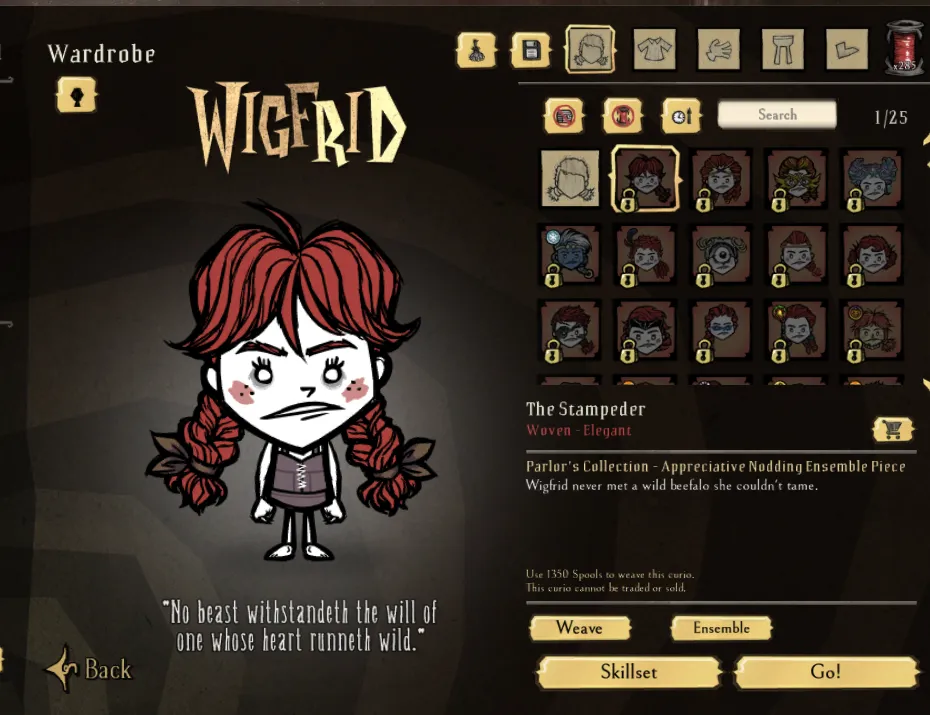
The same file also keeps preview state and selected outfit state separately. In _SelectSkin, the original code only puts an item into selected_skins when both flags are true:
if is_owned and is_selected then
    self.selected_skins[item_type] = item_key
end
That explains the confusing part I saw in the wardrobe: an item could appear on the puppet as a preview while the outfit data still did not contain it.
0x02 - The local ownership filters
The next check is in scripts/skinsutils.lua, in ValidateItemsLocal. The ownership part of the original filter removes a selected item when the local check fails:
for key, item_key in pairs(selected_skins) do
    if not TheInventory:CheckOwnership(selected_skins[key]) then
        selected_skins[key] = nil
    end
end
The shipped function also checks that clothing IDs are valid clothing for their slot. Separately, ValidateItemsInProfile handles the offline cache and stored profile entries:
if TheInventory:HasSupportForOfflineSkins() and not TheInventory:HasDownloadedInventory() then
    TheInventory:ForceLoadOfflineCache()
end

if TheInventory:HasDownloadedInventory() then
    for i, item_type in ipairs(user_profile:GetStoredCustomizationItemTypes()) do
        for item_key, is_active in pairs(user_profile:GetCustomizationItemsForType(item_type)) do
            if not TheInventory:CheckOwnership(item_key) then
                user_profile:SetCustomizationItemState(item_type, item_key, false)
            end
        end
    end
end
Inside that stored-item loop, the original code calls CheckOwnership; if it returns false, the profile item is deactivated. That is why changing only what the wardrobe draws would never be enough.
0x03 - The world checks the outfit again
The local world has another validation point in scripts/networking.lua, ValidateSpawnPrefabRequest. For a character skin, the original code checks client ownership and confirms that the skin belongs to that character:
elseif TheInventory:CheckClientOwnership(user_id, skin_base) then
    if table.contains(PREFAB_SKINS[prefab_name], skin_base) then
        validated_skin_base = skin_base
    end
end
The clothing slots go through equivalent ownership and item-type checks. This is the handoff between the lobby’s outfit data and the character that is created in the world.
0x04 - Where the local mod hooks in
I kept the change in two Lua mods rather than editing scripts.zip or the executable:
- The client mod hooks the lobby
LoadoutSelectselection and saved-outfit flow, plus the local item validation used while constructing that outfit. - The local-world companion hooks
ValidateSpawnPrefabRequestand theskinnercomponent’s load path so the selected IDs can make it through character creation and loading.
The mod hook code lives in these local files under the game’s mods/ directory:
offline_cosmetic_preview/modmain.lua
offline_cosmetic_preview_server/modmain.lua
The mods check the offline/session state before taking the local path. If that condition is false, the hooks call the game’s original functions. This post includes only the original game snippets above; it does not publish the replacement code from the mods.
The source I followed was in these shipped files:
data/databundles/scripts.zip
  scripts/widgets/redux/loadoutselect.lua
  scripts/skinsutils.lua
  scripts/networking.lua
  scripts/frontend.lua
frontend.lua defines SetOfflineMode and GetIsOfflineMode; the networking layer exposes the online-mode state. Those are the original mode signals the local hooks use to decide whether the offline behavior applies.
0x05 - The Lua trace that pointed to the integration issue
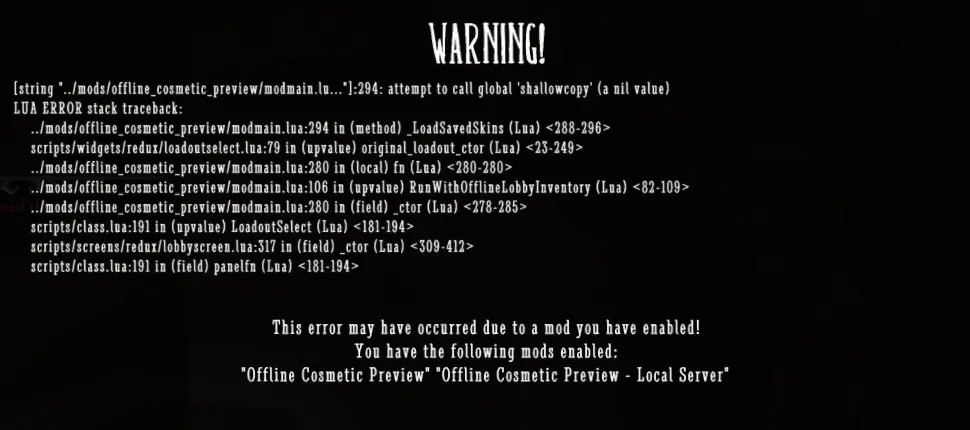
One error screen showed the mod trying to call shallowcopy when that name was not present in its Lua sandbox. That was a mod integration issue, not an ownership rule in the game. It helped me separate the game’s original API from globals that happen to exist in some other script environments.
I also saw an authentication prompt while offline. The stock inventory path can request the offline inventory cache when the build supports it; without that path available, the collection screen may still ask for authentication. The lobby selection and local-world handoff are separate from that account collection panel.
0x06 - Verifying the result
The latest update worked end to end. I selected Wendy’s Ethereal Flutter Shoes in the lobby, accepted the outfit, and continued into the local world. The lobby screenshot shows the item selected; the second image shows the character after entering the world.
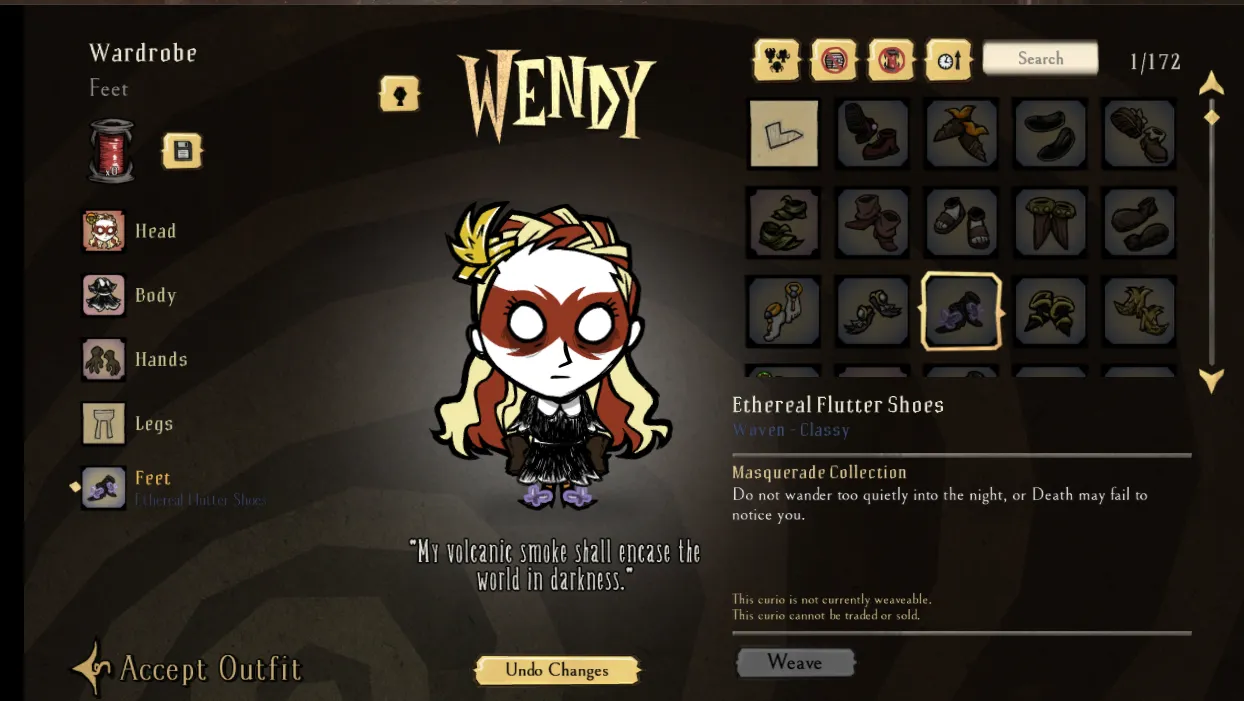
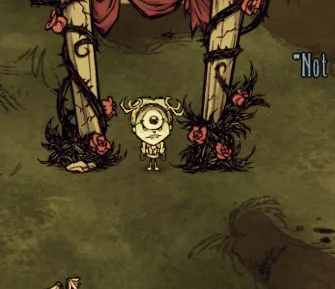
That confirms the selected look made it past the wardrobe preview and into the world.
The useful lesson was that this flow crosses three different checks: what the lobby lets you select, what the profile/local code retains, and what the world accepts during spawn. Following those original checks made it possible to put the local behavior at the right boundaries without changing the game executable or account inventory files.
0x07 - A persistence check
In a separate check, the outfit also appeared to keep working with the cosmetic mods disabled. The client log for that run showed the inventory cache being loaded, but did not show startup messages from either local cosmetic mod. This suggests the choice may persist in local profile, world, or cached inventory state.
I have not isolated which local state retains it, so I am treating that as an observation from this installation rather than a result that will necessarily reproduce on another device.
PGP signature.
—–BEGIN PGP PUBLIC KEY BLOCK—–
Comment: CBA7A8D17567739EDDCADC189FD988AD5706197A
mDMEakvBWhYJKwYBBAHaRw8BAQdAo/xqic5vYsJrXeMcmqtQ8F6c7GUbEHLEZaoh Ir9NvxK0H2FtZGVsdWx1IDxtYXliZXBhbmljQGdtYWlsLmNvbT6IrwQTFgoAVxYh BMunqNF1Z3Oe3crcGJ/ZiK1XBhl6BQJqS8FaGxSAAAAAAAQADm1hbnUyLDIuNSsx LjEyLDIsMQIbAwULCQgHAgIiAgYVCgkICwIEFgIDAQIeBwIXgAAKCRCf2YitVwYZ ekY5AP9a7MkAyNXR8LtTIbB/8hGKjOVzkQNVB8MMc1JBqtJ6xgEAuh2a34IzL3FI 22BSUoIzd4OMBpiqPx4ic1p9CSPqnAC4OARqS8FaEgorBgEEAZdVAQUBAQdAyHZ9 /IqmYyhjOIt1/beu83cbG25d9EnMkMcOl492vCcDAQgHiJQEGBYKADwWIQTLp6jR dWdznt3K3Bif2YitVwYZegUCakvBWhsUgAAAAAAEAA5tYW51MiwyLjUrMS4xMiwy LDECGwwACgkQn9mIrVcGGXoToAEAlboJyWlXPV56oTLfP5KCS7IaXVTOPp7XLLz2 w0bRWzwA/1CPp3tM1swtDVitApxsrvHk16HWxNhPLho2PB1N2loP =4JMD
—–END PGP PUBLIC KEY BLOCK—–