Half Exploiting an Xprinter XP-410B Over Bluetooth(hardware-re)
I had an Xprinter XP-410B sitting next to me, and I started looking at it as an embedded reversing target instead of just a printer.
The original goal was simple: get some kind of shell, reach its internal storage, pull firmware, or find a way to execute something inside the printer.
I did not get a shell.
What I did get was a useful halfway point: the Linux driver gave up its TSPL command generation almost immediately, the printer exposed a writable BLE GATT characteristic, raw TSPL worked over Bluetooth, the printer answered read-only queries, and its own FILES command exposed a persistent flash file store.
At that point it stopped being a printer setup and became an embedded reversing project.
Scope
This was performed against my own XP-410B, physically present during testing.
The host was Arch Linux with:
CUPS
Ghidra
objdump
nm
strings
bluetoothctl
btmon
Python
Bleak
One important distinction appeared during the work:
Feasycom module firmware:
9.2.2,20240405

Printer model:
XP-410B
The first value came from the Bluetooth module’s Device Information service. It is not proof that the printer’s main controller firmware is version 9.2.2.
Part 1: Getting the XP-410B into CUPS
The package already contained an Xprinter PPD:
xprinter/XP-410B.ppd _Xprinter XP-410BThe active PPD contained:
*Manufacturer: "_Xprinter"
*1284DeviceID:"MFG:Xprinter;CMD:TSPL2;MDL:XP-410B;CLS:PRINTER;"
*cupsFilter: "application/vnd.cups-raster 0 rastertosnailtspl-xprinter"
That last line was the interesting part because it pointed directly at the Linux filter:
/usr/lib/cups/filter/rastertosnailtspl-xprinter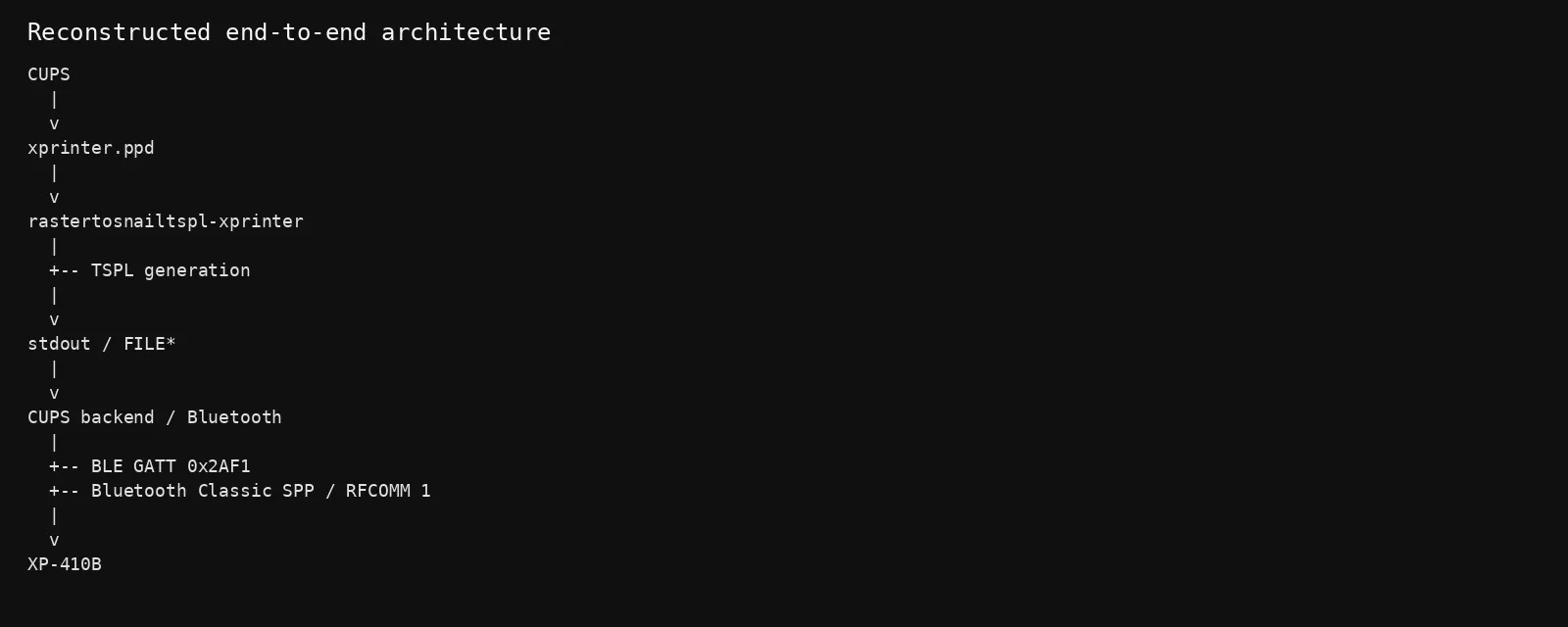
The driver became the first reversing target.
Part 2: The filter is basically a TSPL generator
The binary is an ELF64 executable and, luckily, it still contains useful C++ symbols.
Some of the symbols were:
TsplPrinter::TsplPrinter()
TsplPrinter::doPrintImage(...)
SnailPrinter::printByte(...)
SnailPrinter::printBytes(...)
SnailPrinter::printStr(...)
SnailPrinter::printFormat(...)
setSize(...)
setGap(...)
setRibbon(...)
setDirection(...)
setReference(...)
setOffset(...)
setSpeedAndDensity(...)
setCls()
setBitmapCmdHead(...)
setPrint(...)
I started in Ghidra and followed TsplPrinter::doPrintImage().
The decompiler showed the driver building a bitmap representation and then feeding each byte into SnailPrinter::printByte().
The relevant part looked like:
if (*(int *)(this + 0x71c) == 0) {
    setBitmapCmdHead(0,0,(int)local_40,(int)param_3,0);

    for (...) {
        SnailPrinter::printByte(
            (SnailPrinter *)this,
            *puVar5
        );
    }
}

SnailPrinter::printStr((SnailPrinter *)this,"\r\n");
setPrint(1,*(int *)(lVar6 + 0x154));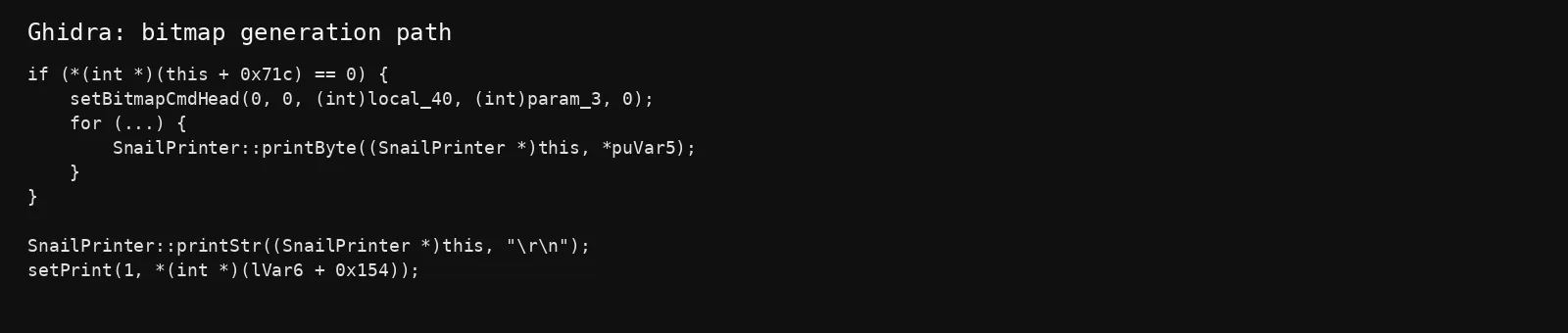
That gives a simple mental model:
CUPS raster
    ↓
image conversion
    ↓
TSPL BITMAP command
    ↓
raw bitmap bytes
    ↓
PRINT
Part 3: Recovering the TSPL commands
Instead of reading every assembly instruction, I searched the binary’s strings:
strings -tx /usr/lib/cups/filter/rastertosnailtspl-xprinter |
grep -E 'SIZE|GAP|OFFSET|REFERENCE|RIBBON|DIRECTION|SPEED|DENSITY|BITMAP|PRINT|CLS'
The result was:
3437c SIZE %.1f mm, %.1f mm
343cf GAP 0, 0
3442d SET RIBBON OFF
34447 SET RIBBON ON
34463 DIRECTION %d,0
34474 REFERENCE 0,0
34484 OFFSET %.1f mm
34514 SPEED %s
3451f DENSITY %d
34532 BITMAP %d,%d,%d,%d,%d,
34549 PRINT %d,%d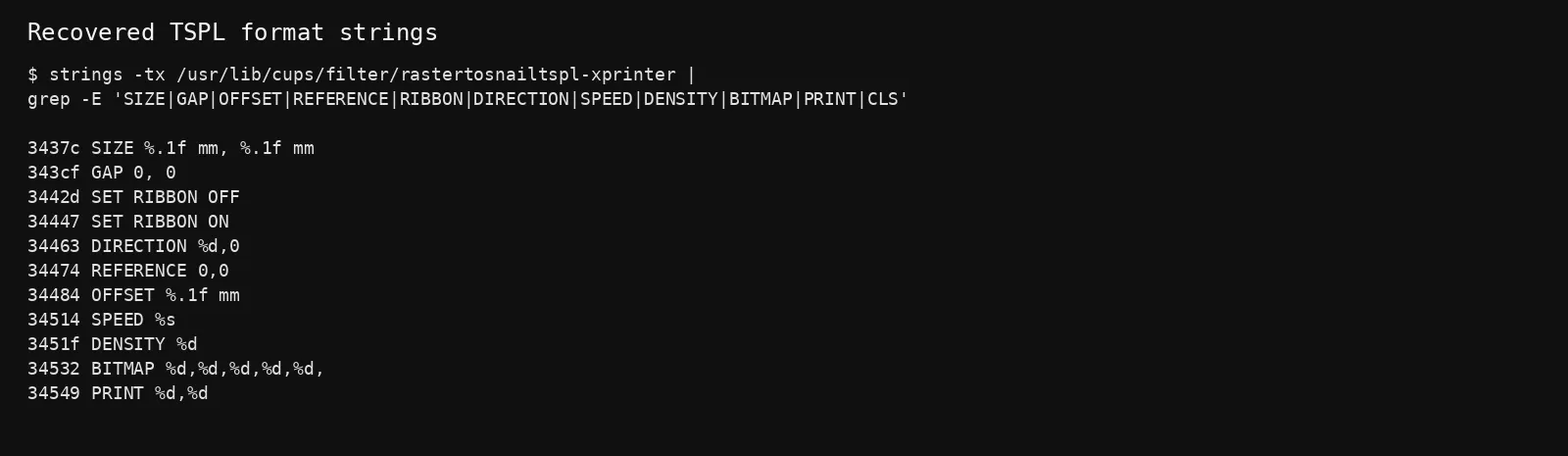
So the driver is very clearly generating TSPL-style commands.
The key helper functions all eventually call SnailPrinter::printFormat(...).
For example, setSize(float, float) loads the string at the .rodata address and passes the dimensions into printFormat().
setBitmapCmdHead() does the same with:
BITMAP %d,%d,%d,%d,%d,and then the raw bitmap is emitted byte by byte.
Part 4: Following the output abstraction
One thing I expected to find was libusb, a Bluetooth library, or a serial implementation inside the filter itself.
There wasn’t one.
ldd showed normal CUPS/system dependencies but no dedicated libusb or Bluetooth library.
readelf showed imports for:
open
write
fopen
fwrite
And SnailPrinter::printByte() writes each byte through a FILE *.
The constructor also pushes stdout into the internal output stream list.
So the practical architecture looked like:
CUPS
  ↓
rastertosnailtspl-xprinter
  ↓
TSPL
  ↓
stdout / FILE*
  ↓
CUPS backend
  ↓
printer transport
That was useful because it meant the Linux filter was primarily a protocol translator rather than a direct Bluetooth implementation.
Part 5: Finding the Bluetooth command channel
The XP-410B exposed several BLE services. The most interesting one was:
000018f0-0000-1000-8000-00805f9b34fbwith:
00002af1-0000-1000-8000-00805f9b34fb
    write
    write-without-response

00002af0-0000-1000-8000-00805f9b34fb
    notify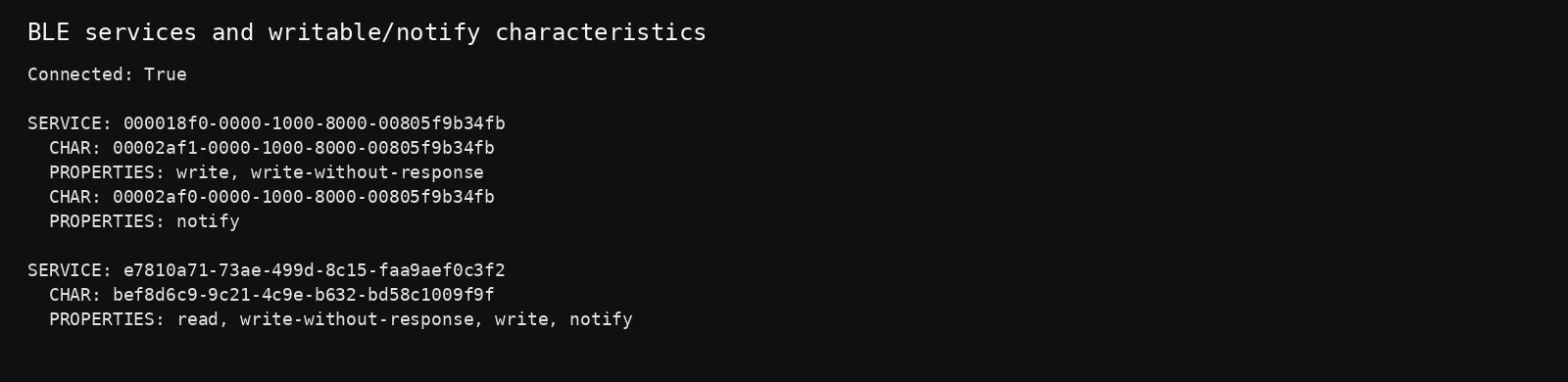
I used Bleak to connect and enumerate the services.
That gave me a usable pair:
WRITE_UUID  = "00002af1-0000-1000-8000-00805f9b34fb"
NOTIFY_UUID = "00002af0-0000-1000-8000-00805f9b34fb"
Part 6: Direct Bluetooth printing
The first proof-of-control was a tiny TSPL job:
SIZE 58 mm,40 mm
GAP 2 mm,0 mm
CLS
TEXT 50,50,"3",0,1,1,"HELLO FROM ARCH"
PRINT 1,1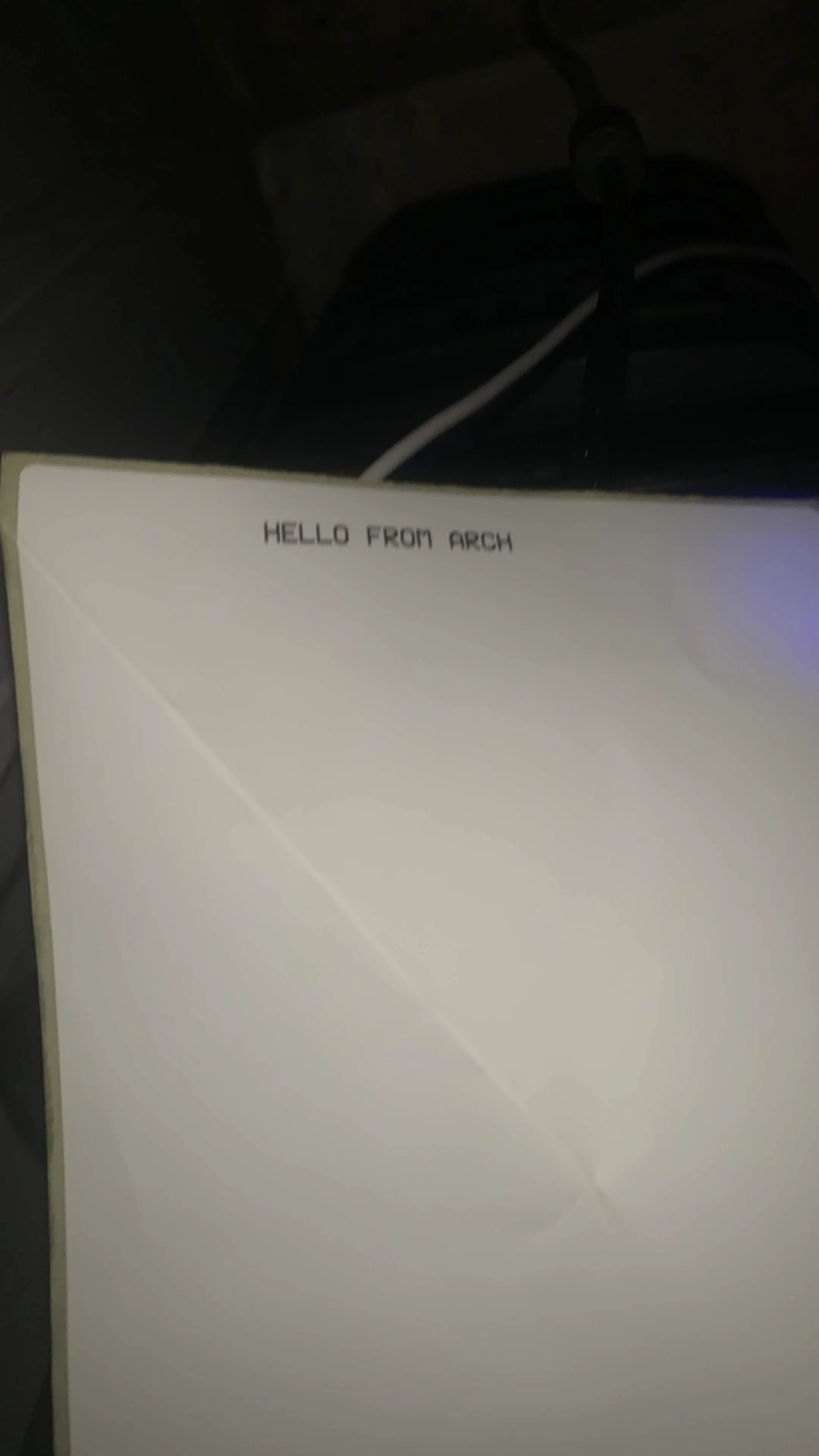
The corresponding BLE capture contained the ASCII command directly:
53 49 5A 45 ...   SIZE 58 mm,40 mm
47 41 50 ...      GAP 2 mm,0 mm
43 4C 53          CLS
54 45 58 54 ...   TEXT ...
50 52 49 4E 54 ... PRINT 1,1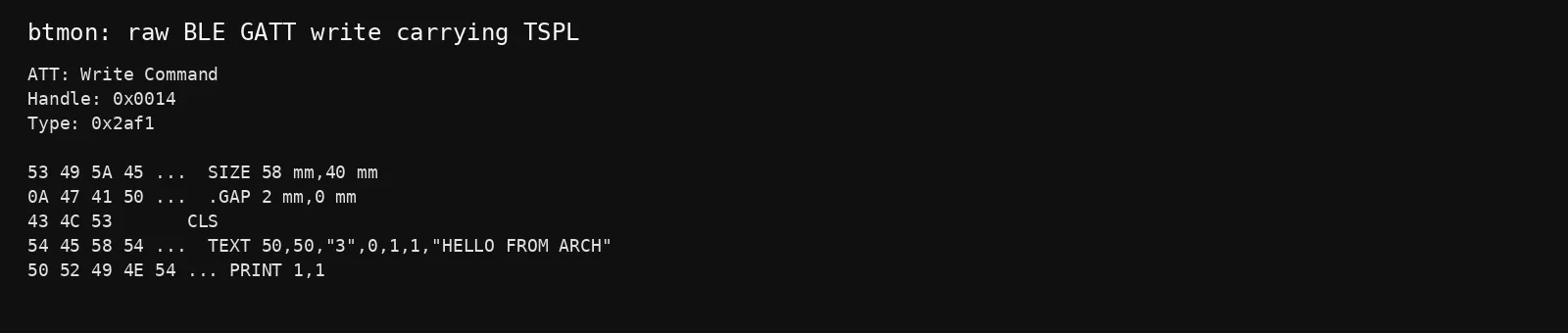
The printer physically printed the label.
That was the point where I stopped looking at the Linux side and started talking to the printer itself.
Part 7: BLE is not the only Bluetooth interface
btmon also showed that the XP-410B exposes Bluetooth Classic.
The device advertised:
Serial Port (0x1101)and SDP showed:
RFCOMM
Channel: 1
The Bluetooth Classic connection also showed:
Encryption: Disabledduring the discovery session.
So there are effectively two useful research surfaces:
BLE GATT
  ↓
0x2AF1 write
0x2AF0 notify

Bluetooth Classic
  ↓
SPP
  ↓
RFCOMM channel 1
For the rest of the research I stayed on BLE because it was easier to script and it already exposed a useful notify channel.
Part 8: First interesting printer-side command — FILES
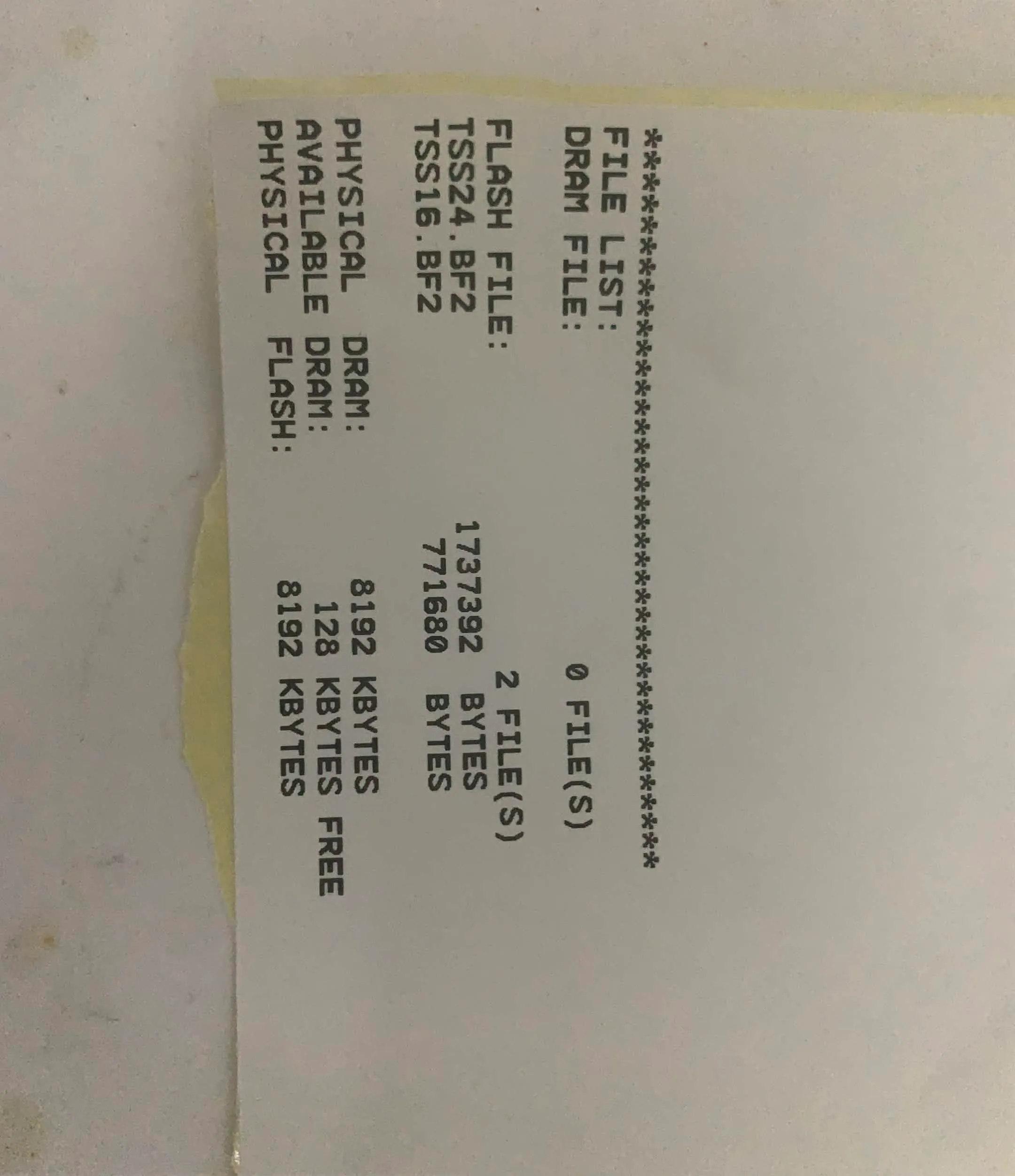
After getting direct TSPL execution working, I tried the printer’s FILES command.
Instead of just doing something invisible, the printer printed:
DRAM FILE: 0FILE
FLASH FILE: 2FILE

TSS24.VF2
TSS16.BF2
That gave me a concrete lead.
The printer has resident storage, and the printer itself reports:
FLASH FILE: 2FILEThe two visible names are:
TSS24.VF2
TSS16.BF2
These are very likely font/resource files, not the entire firmware image.
Still, this is exactly the kind of thing I was hoping to find: a command language that knows about persistent storage.
Part 9: Turning the printer into a tiny query API
The same BLE write/notify pair worked for read-only queries.
~!F
The printer returned:
TSS24.BF2
TSS16.BF2
Raw notification:
54535332342e4246320d
54535331362e4246320d
1a
~!A
The printer returned:
DRAM:128
FLASH:2631
Raw notification:
4452414d3a3132380d
464c4153483a323633310d
~!T
The printer returned:
XP-410B~!V
The printer returned:
80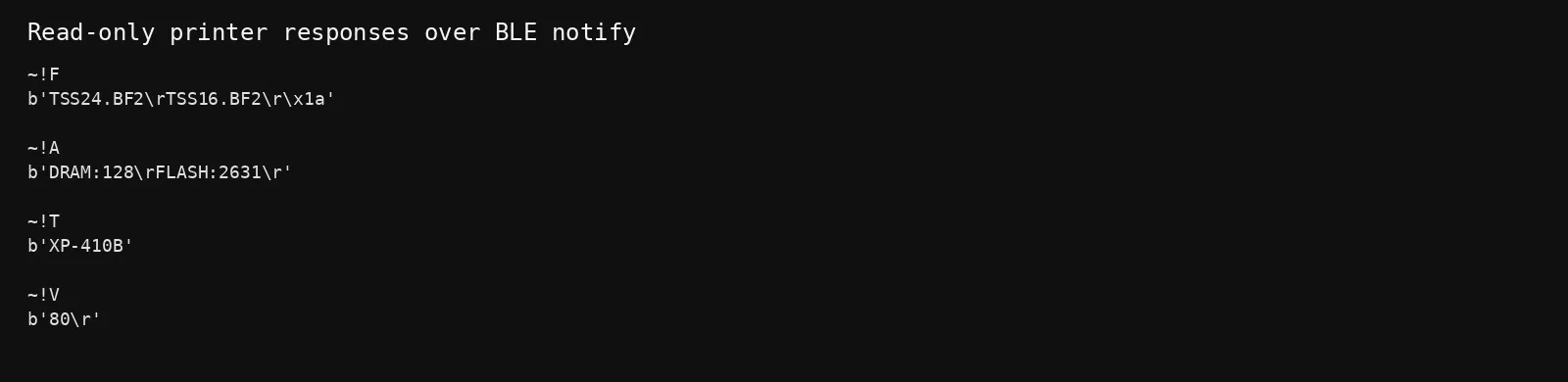
Repeated ~!F queries produced the same resident files every time.
So at this point there was a small, reproducible read-only interface:
BLE write
    ↓
TSPL query
    ↓
XP-410B
    ↓
BLE notify
That was the most useful protocol-level result from the session.
Part 10: A minimal direct-BLE research client
Once the UUIDs were identified, the printer could be queried without CUPS:
import asyncio
from bleak import BleakClient

ADDRESS = "DD:0D:30:EF:BF:23"

WRITE_UUID = "00002af1-0000-1000-8000-00805f9b34fb"
NOTIFY_UUID = "00002af0-0000-1000-8000-00805f9b34fb"

COMMAND = b"~!F\r\n"

async def main():
    async with BleakClient(ADDRESS, timeout=15) as client:

        def notify(_, data):
            print("NOTIFY:", data.hex(), repr(bytes(data)))

        await client.start_notify(NOTIFY_UUID, notify)

        await client.write_gatt_char(
            WRITE_UUID,
            COMMAND,
            response=False
        )

        await asyncio.sleep(2)

asyncio.run(main())
The same transport was enough for a direct print too:
COMMAND = b"""SIZE 58 mm,40 mm
GAP 2 mm,0 mm
CLS
TEXT 50,50,"3",0,1,1,"HELLO FROM ARCH"
PRINT 1,1
"""
So the path was:
Python
  ↓
BLE GATT
  ↓
TSPL
  ↓
XP-410B
No Wi-Fi. No socket://localhost:9100. No CUPS required.
Part 12: The interesting unfinished question — can the resident files be read back?
The biggest remaining question became:
Can TSS24.BF2 / TSS16.BF2 actually be exported from the printer?FILES proves that the firmware has a resident file store, but a listing is not the same thing as file extraction.
The next stage would be to study the printer’s resident-file commands and determine whether there is a readback primitive that can safely return binary data.
The safer research strategy is:
1. enumerate read-only commands
2. understand the file API
3. prove readback on a disposable test object
4. only then touch existing resident resources
I did not jump into destructive commands such as deleting files or running arbitrary resident programs during this session.
That leaves the most interesting part for another pass.
Part 11: Why this was still a good target
A cheap printer sounds boring until you look at it from the protocol boundary.
There was:
a Linux driver
        ↓
a text-based printer language
        ↓
BLE GATT
        ↓
Bluetooth Classic SPP
        ↓
persistent printer storage
        ↓
device-side command processing
That gives several layers to reverse:
Layer 1 — Linux
CUPS
PPD
raster filter

Layer 2 — Protocol
TSPL / TSPL2 commands

Layer 3 — Transport
BLE / GATT
Bluetooth Classic / RFCOMM

Layer 4 — Embedded device
command parser
status responses
file storage

Layer 5 — Firmware
flash layout
bootloader
MCU code
update mechanism
The Linux driver and BLE protocol together made the first four layers surprisingly accessible.
Conclusion
What started as:
"How do I get this stupid printer working on Arch?"turned into:
CUPS
↓
rastertosnailtspl-xprinter
↓
TSPL reverse engineering
↓
BLE GATT discovery
↓
direct TSPL injection
↓
physical printer control
↓
read-only device queries
↓
flash file enumeration
The most interesting result was this:
DRAM FILE: 0FILE
FLASH FILE: 2FILE

TSS24.VF2
TSS16.VF2
That is the point where the printer stops looking like a dumb output peripheral and starts looking like an embedded system with an actual storage model and command interface.
There is no shell yet.
But there is now a working map of the road leading toward one.
Final status
[CONFIRMED]

XP-410B detected
       ↓
CUPS driver identified
       ↓
TSPL generator reversed
       ↓
BLE GATT writable characteristic identified
       ↓
TSPL transmitted directly
       ↓
HELLO FROM ARCH printed
       ↓
Printer responses received
       ↓
Resident flash files enumerated

[NOT CONFIRMED]

Firmware extraction
Arbitrary code execution
RCE
The printer was not rooted.
It was, however, partially reverse engineered. since its not online printer. its not possible to get a shell. but possible to get firmware files from physical RE.
THE F ING POINT IS NOW I CAN USE THE PRINTER WITHOUT NEEDING TO INSTALL ANY DRIVER SHIT IN ANY DEVICE IDC ABOUT THE SHELL SINCE IT DOESNT HAVE WIFI CHIP IN IT SO AM HAPPY WITH THIS.